

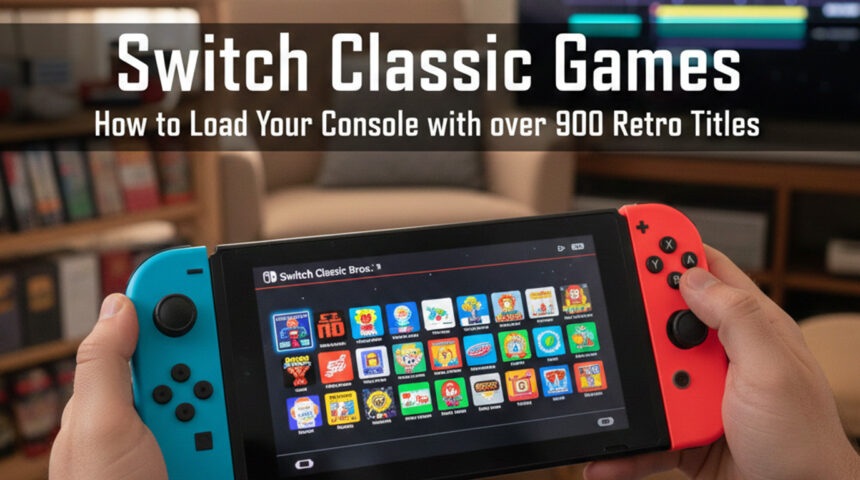
Switch Classic Games: How to Load Your Console with over 900 Retro Titles
Introduction to the Nintendo Switch and its Classic Games
The Nintendo Switch has taken the gaming world by storm, offering a unique blend of portability and power. With its vibrant library of games, it caters to both newcomers and seasoned gamers alike. But what if you could take that experience even further? Imagine diving back into your childhood favorites with over 900 classic titles right at your fingertips. That’s where the magic of Switch Classic Games comes in.
Whether you’re longing for pixelated adventures or challenging side-scrollers from yesteryear, this guide will help you load up your console with nostalgia. Get ready to rediscover those timeless classics that once kept you glued to your screen for hours on end!
Understanding the Differences Between Original and Switch Classic Games
When diving into classic games on the Nintendo Switch, it’s essential to recognize how they differ from their original counterparts.
Original titles often come with nostalgic graphics and soundtracks that defined a generation. They evoke memories of simpler times spent in front of an old console.
Switch Classic Games, however, offer enhanced convenience. You can enjoy these retro gems on-the-go or from your couch without worrying about bulky hardware or tangled cords.
Moreover, performance improvements are noticeable. Many Switch versions run smoother than their predecessors due to better processing power.
On top of that, there’s access to various emulators and mods that enhance gameplay experience beyond what was possible originally.
While the essence remains intact, playing classic games on the Switch feels fresh and modern while still honoring gaming history.
How to Download and Install RetroArch on Your Nintendo Switch
Downloading and installing RetroArch on your Nintendo Switch is an exciting step into the world of classic gaming. Start by ensuring that your console has custom firmware installed, as this is essential for running homebrew applications.
Next, head over to the official RetroArch website. There, you can find the latest version specifically designed for the Switch. Download the zip file and extract it on your computer.
Connect your Switch to your PC via USB or use a microSD card reader. Transfer the extracted files into a folder named “RetroArch” on your SD card’s root directory.
After that, safely eject the SD card from your computer and insert it back into your console. Boot up your Switch in RCM mode and launch Homebrew Menu to find RetroArch ready to go! Enjoy configuring settings tailored just for you before diving into nostalgia with classic titles.
Compatible Controllers for Playing Classic Games on the Switch
When diving into classic games on the Nintendo Switch, having the right controller can elevate your experience. The original Joy-Con controllers provide a versatile option for most retro titles. However, they might not capture that nostalgic feel you’re after.
For a more authentic touch, consider using a wired USB controller compatible with RetroArch. Many gamers swear by classic-style gamepads from brands like 8BitDo and Hori. These controllers mimic the designs of consoles like the NES and SNES, making every jump and power-up feel just right.
Additionally, if you’re looking for wireless options, several Bluetooth-enabled controllers offer compatibility as well. They combine modern convenience with retro aesthetics.
No matter which controller you choose, make sure it feels comfortable in your hands. That way, you’ll be ready to tackle those challenging levels without any hassle or discomfort during extended gaming sessions.
The Best Switch Classic Games to Download and Play in 2021
The Nintendo Switch opens up a treasure chest of classic gaming experiences. Among the gems available in 2021, “Super Mario Bros.” takes center stage. Its iconic platforming gameplay is timeless and addictive.
Another standout is “The Legend of Zelda: A Link to the Past.” This action-adventure title combines exploration with captivating puzzles that still resonate today. Players lose themselves in its enchanting world.
“Metroid Fusion” brings thrilling sci-fi vibes to your console. The perfect blend of action and adventure makes it a must-play for retro enthusiasts.
Don’t overlook “Street Fighter II Turbo,” which delivers intense one-on-one battles that keep players hooked for hours on end. Perfect timing and strategy are key here.
For fans of RPGs, “Chrono Trigger” offers an unforgettable journey through time with compelling storytelling and memorable characters. These titles not only entertain but also evoke nostalgia, making them ideal picks for any retro gamer on the Switch.
Tips for Improving Gameplay Experience with Classic Games on the Switch
To enhance your gameplay experience with classic games on the Switch, consider adjusting the settings. Many emulators allow you to tweak graphics and sound for better performance. Take advantage of these features to find a balance that suits you.
Using headphones can significantly improve immersion. Classic games often have iconic soundtracks, and experiencing them through quality audio makes a difference.
Another tip is to explore save states. This feature lets you save progress at any point in your game, allowing for more flexibility in playtime – perfect for busy schedules or trying out difficult levels without frustration.
Don’t underestimate online communities. Engaging with fellow retro enthusiasts can provide insights into hidden gems or tips specific to certain titles that will elevate your gaming sessions even further.
Conclusion: Bringing Nostalgia to Your Modern Gaming Setup
The Nintendo Switch has become a beloved platform for gamers, thanks to its unique ability to blend modern technology with classic gaming. Loading your console with over 900 retro titles offers an incredible opportunity to revisit childhood favorites or discover hidden gems from the past.
With tools like RetroArch, you can easily access these classic games and enjoy them using compatible controllers that enhance your experience. The wide variety of available games ensures that there’s something for everyone—whether you’re into platformers, RPGs, or arcade-style shooters.
As you embark on this nostalgic journey, consider tips for optimizing gameplay. Adjusting settings and familiarizing yourself with emulation options can greatly improve how these retro classics run on your Switch.
Rediscovering timeless adventures while enjoying modern conveniences is what makes this setup so appealing. Embrace the nostalgia as you combine the best of both worlds: vintage gaming experiences complemented by today’s advanced tech features. It’s time to plug in those controllers and immerse yourself in a treasure trove of memories waiting to be relived right at your fingertips.