

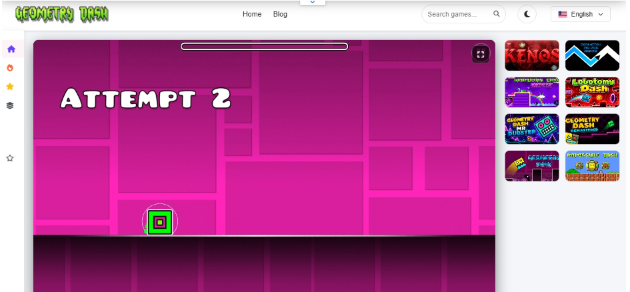
When playing the geometry dash you must have noticed that in the stages list there are some specific shining multi pointed signs attached beneath them, these are the stage stars. These are the items or you can say your in-game currency that you collect the moment you start the game, it will help you to unlock multiple gaming icons and features easily.
It’s important for every player of the game to have a good knowledge about these stars and their working, no matter if you are a beginner or a professional player who returned to the game after a long time. Well today’s guide is a detailing tour about these Stars of geometry dash pc stages. So let’s start;
What are Stars in Geometry Dash?
In geometry dash, the star system is related actually to the rewards points. Whenever a player finishes the official stage from start to end in one go in the normal mode the game assigns that level some stars. These are different from the secret coins that you find within the stage when you are playing the game. If you are Interested in learning more about the secret coins then check our guide about “What are secret coins in geometry dash?” Here
The game doesn’t follow the same criteria of assigning the stars to all players. Easy stages are often given less stars whereas tackling and conquering the demon level stage a lot upto 10 stars.
The stars, they are actually the measure of how efficiently a player has cleared the stage. They also play a role in your profile statistics, more stars means a more mature player and better will be your place at the leaderboard. They also help you to
- unlock custom character icons
- ships
- balls
- UFOs
- waves
- death effects
Stars Distribution
The community and the RobTop, the creators often rates the stages with stars and their ratings follow this mechanism
- Auto = 1 Star
- Easy = 2 stars
- Normal = 3 stars
- Hard = 5 stars
- Harder = 6 to 7 stars
- Insane = 8 to 9 stars
- Demon = 10 stars
So depending on the difficulty of the stage, the number of stars given to them are these and players get them as reward when they finish the stage.
How to Collect Stars in a Geometry Dash?
Well, it’s actually very easy and very straightforward to collect stars in the sub zero geometry dash. Even with the basic knowledge of the game, players can easily detect the stages that involve stars for them and how they can attain them. But if you don’t have any idea about how to start and where to start collecting the stars then the following mentioned points are gonna help you with it.
1. Beat Official Main Level
As the beginner or even the pro players, the best strategy is to stick to the basic gameplay. Don’t rush for the hard custom stages. The RobTop official stages will give a star every time you complete a level. The thing is that whenever players finish the level for the first time they will get stars, a rematch of the same level and a new completion will not reward them any star.
2. Play Rated Community Level
After players have completed the official stages, the gate to the custom levels becomes open for them. Here there are about millions of stages that players can play.
But make sure to get stars only play those ones that have a star icon set against their name. RobTop officially ranked these stages and they will provide stars on completion.
- If you play an unrated custom level it will only improve your profile, the stage will not award players any stars.
3. Complete the Map pack and Gauntlets
Map pack is a group of 3 stages and the gauntlets have 5 themed stages. These offer players massive stars and orbs collection when they complete them. The best thing about it is that on completion of each stage you all get rewards and after the completion of the whole map pack or gauntlets you will again get rewards.
Points To Remember
The game provides stars and rewards to players only when they clear the stage in normal mode. If a player completes the level in practice mode that will not be counted.
The game only rewards you with stars when you complete the stage at first try, repetition gameplay of the stage will not add any stars further.
Reference Box
- Stars are basically the progression points provided when players conquer stages.
- Only official stages and rated custom online stages provide stars.
- Normal mode will provide stars and practice mode doesn’t offer any such thing.
FAQs
Why didn’t I get any stars after beating a custom level online?
There could be two possible reasons for that. One, RobTop didn’t rate the level and it’s an official unrated stage. Always check for the glowing stars icon beneath every stage you want to play. And second, it could be because you have completed the level of repetition. The stars are only assigned during the first level win, not in afterward repetitions.
Can I earn stars in practice mode?
Nope. You cannot do that. The practice mode of geometry dash doesn’t provide any rewards at all. It is there to just help you practice your jumps at various spots in the game.
What do I unlock with stars?
Geometry dash offers numerous unlockable items in game that you can obtain once you have enough stars. This includes the ship icon, the wave, UFOs, custom color primary and secondary palettes and special achievements tracked in the profile.
Final Word
In geometry dash stars are the signs that tell about the player’s journey from the basic official first level to all the way ahead to custom online levels. The more collections of stars a player has the better he is a player. RobTop rated custom levels and the official stages of geometry dash provides players these stars when they complete it.